

TL;DR
I built a Slack triage plugin for Claude that mirrors the email triage plugin I open-sourced last week. Same three tiers — Reply Needed, Review, Noise — adapted for Slack’s channel-and-thread model. The repo is here. It’s a template you can customize in about five minutes. The companion email version is here.
The Morning Scroll
Here’s what actually happens when you open Slack after eight hours away.
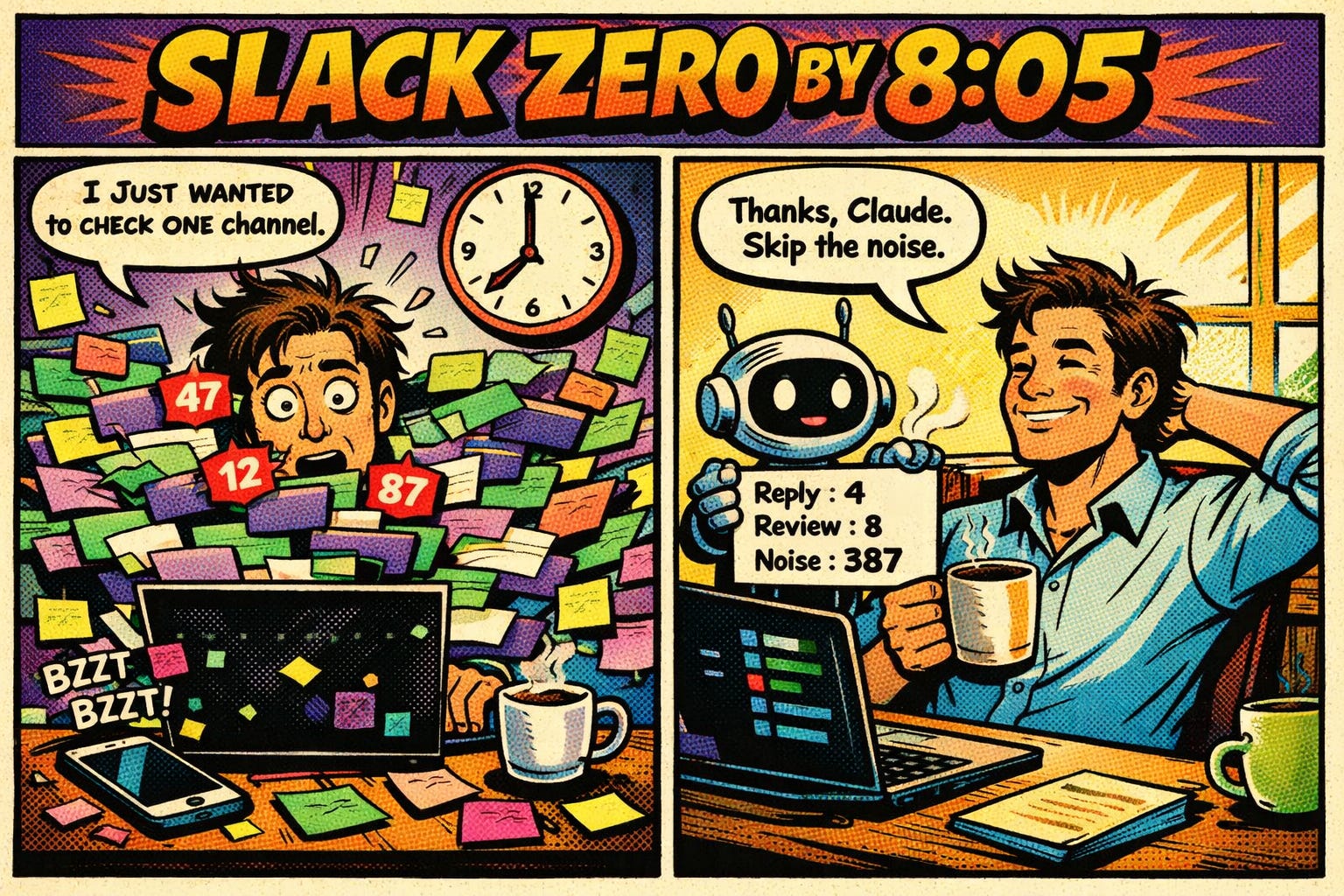
You see 47 channels with unread counts. Some say “12 new.” One says “87 new.” Your eyes go to the DMs first — reasonable — but then you notice a red badge on an incident channel, so you detour there, then you spot a thread reply from your manager in a project channel, then someone pings you in #general while you’re mid-scroll, and now you’ve spent 25 minutes reading without deciding anything.
This isn’t a notification management problem. Mute settings and Do Not Disturb schedules are blunt instruments applied to a nuanced problem. A channel might be 95% noise but 5% critical — you can’t mute it, but you also can’t read everything.
It’s a classification problem. And after building a triage system for email, the pattern was too obvious to ignore.
Same Pattern, Different Signals
The email triage plugin classifies messages into three tiers using alias routing as the primary signal. Your shopping@ alias defaults to Tier 3. Your health@ alias defaults to Tier 1. The alias alone classifies 80% of incoming mail before Claude reads a subject line.
Slack doesn’t have aliases. But it has something equivalent: channels and people.
A DM from your manager is Tier 1 before Claude reads a word. A message in #random is Tier 3 before it loads. An @mention with “blocker” or “need your input” in a team channel — that’s Tier 1 regardless of which channel it lands in.
The classification engine is the same. The signals are different:
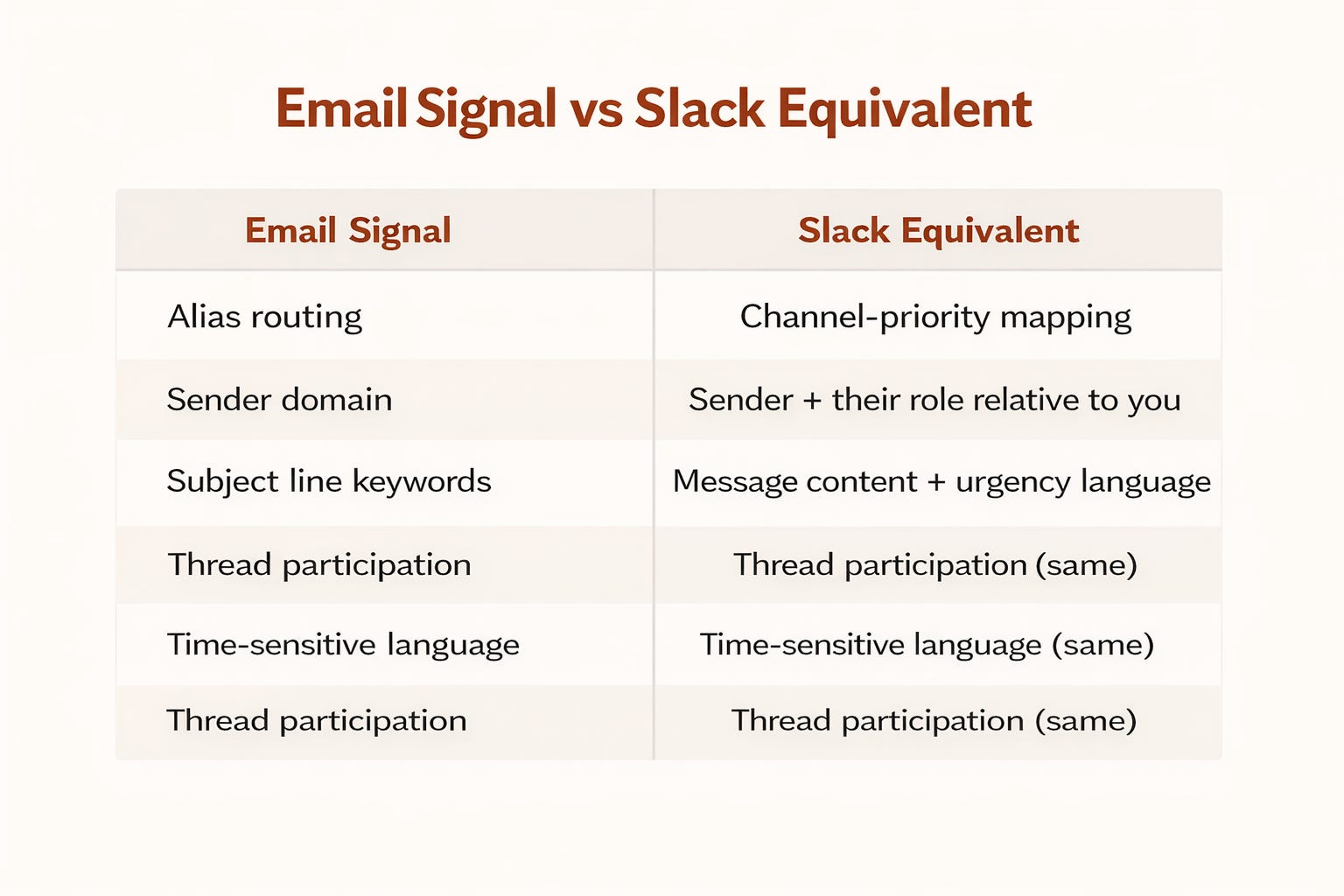
Email Signal / Slack Equivalent
Alias routing / Channel-priority mapping
Sender domain / Sender + their role relative to you
Subject line keywords / Message content + urgency language
Thread participation / Thread participation (same)
Time-sensitive language / Time-sensitive language (same)
Five minutes of channel configuration replaces five years of mute/unmute muscle memory.
What the Plugin Actually Does
You say “check my Slack” (or /slack). Claude runs four parallel scans: DMs, @mentions, threads you’re in, and priority channels. It classifies everything into:
Tier 1 — Reply Needed. DMs, @mentions with questions, threads you started that haven’t resolved, escalations, and messages from priority people. These are numbered. You say “draft a reply to #3” and Claude pulls the full thread, writes something in your Slack voice (shorter, more casual than email), and waits for your OK.
Tier 2 — Review. FYI mentions, shared docs, announcements, deploy alerts, CI/CD notifications. Needs your eyes, not your keyboard.
Tier 3 — Noise. Channel chatter, bot spam, social threads. Summarized as counts by channel: “34 in #random, 12 in #social, 8 bot notifications.”
The output takes about 30 seconds to generate. You get a prioritized action list instead of a notification firehose.
The Workspace Config
The plugin ships with a blank workspace-config.md template. This is where you teach Claude your Slack topology:
Priority channels: Your team channel, incident channel, anything where messages are likely aimed at you
Watch channels: Announcements, project updates, all-hands — informational but rarely actionable
Noise channels: #random, #pets, #social — summarize as counts, never promote
Key people: Manager, direct reports, stakeholders — their DMs are always Tier 1
Bot filters: GitHub notifications are Tier 2 (informational). The bot that posts motivational quotes is Tier 3
The configuration is a markdown file. No code. No API. No database. Just structured text that Claude reads at triage time.
The Morning Briefing Stack
This pairs with the email triage plugin for a complete morning ritual:
/email— Inbox triage (30 seconds)/slack— Workspace triage (30 seconds)Act on the Tier 1 items from both
Skim the Tier 2 lists
Ignore the noise
Two minutes of scanning, then you’re working on the thing that matters. Not scrolling. Not skimming. Not wondering if you missed something.
The Bigger Point
The gap between “AI can read Slack” and “AI triages my Slack” is a markdown file with your channel priorities. That’s it. That’s the gap.
We keep waiting for AI to be smart enough to replace complex workflows. Meanwhile, a well-configured plugin with a flat text file does 80% of the work. The model didn’t get smarter. It got informed.
Context beats intelligence. Every time.
Both plugins are open source and free to use:
Slack triage: github.com/ericporres/slack-triage-plugin
Email triage: github.com/ericporres/email-triage-plugin
Family assistant (contact context): github.com/ericporres/family-assistant-skill
Clone them, customize the config files, and tell Claude who matters. The rest is classification.
If you found this useful, share it with someone who’s drowning in Slack notifications. And if you build on these templates, I’d love to hear what you changed — reply or tag me on LinkedIn.
The classification-not-muting distinction is the key insight here. Muting is surrender. This keeps you in control, just faster.
The channel-priority mapping is interesting because it's creating an inverse algorithm. Instead of Slack's algorithm deciding what's important (which defaults to 'whatever got the most reactions'), you're telling Claude what matters based on actual work context. Person X in channel Y is always Tier 1. That's just saying 'I know my own priorities.'
One question though: how does recovery work when you miss a Tier 2 item that turned into a blocker? The UI makes sense for the routine case, but Slack's real problem is the unexpected urgent thing that landed in the wrong channel. Does Claude reclassify if you tell it 'that was actually critical'?