

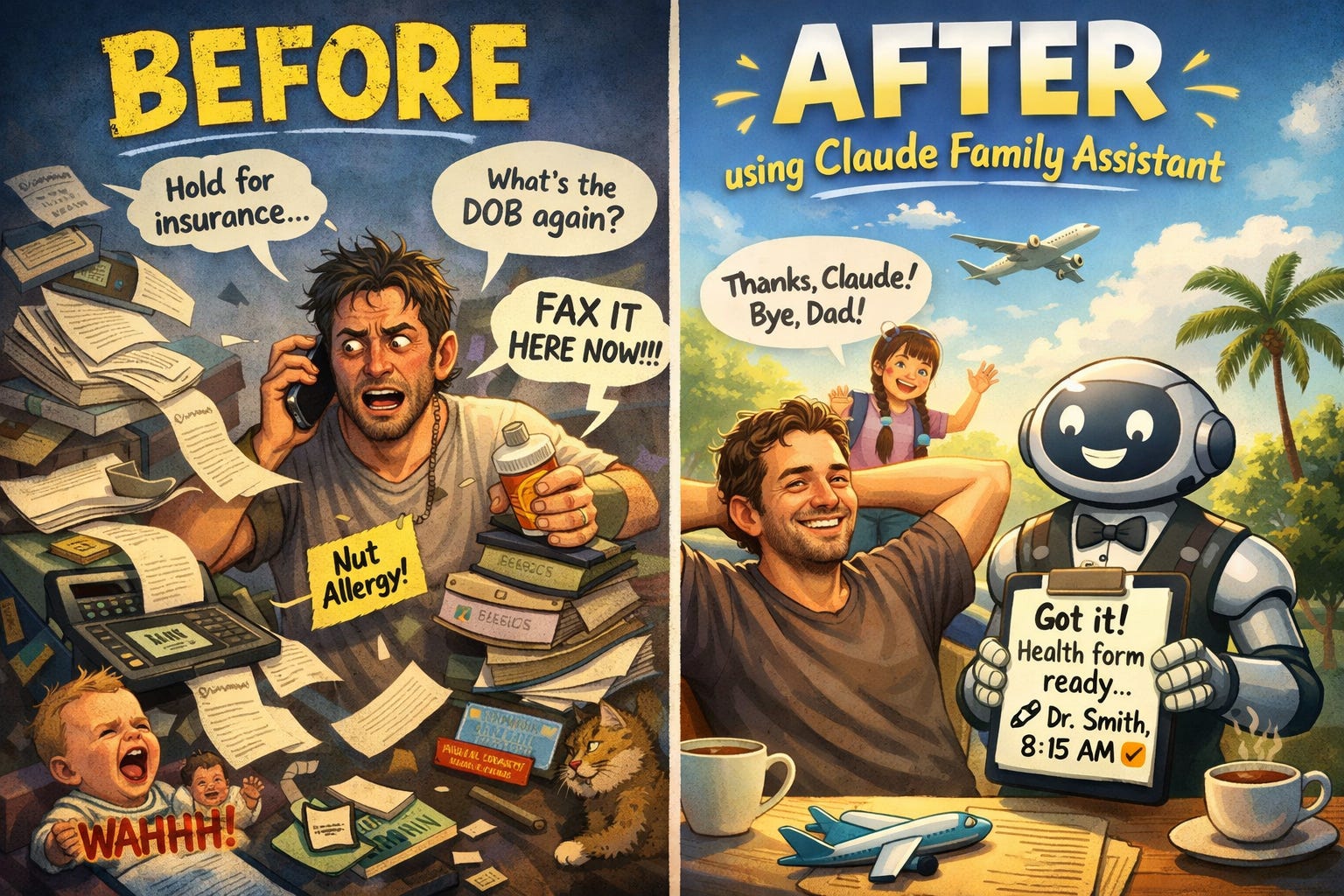
TL;DR: The gap between “AI assistant” and actual assistant isn’t intelligence — it’s context. I built a Claude skill that stores my family’s essential information (insurance, medical, financial, household) in modular reference files so Claude can do real work: fill out forms, draft insurance claims, book travel with the right loyalty numbers. I’ve open-sourced the template so anyone can build their own. GitHub repo here.
The $100/Month Assistant Problem
Here’s an experiment. Open your AI assistant of choice — ChatGPT, Claude, Gemini, doesn’t matter — and say: “Help me fill out my son’s school health form.”
Watch what happens.
It will cheerfully ask you for your son’s name. Then his date of birth. Then his allergies. Then his pediatrician’s name and phone number. Then your insurance carrier. Then your group number. Then your policy number.
Congratulations. You just spent twelve minutes dictating information you already have in a filing cabinet. The AI didn’t save you time. It added a step.
This is the dirty secret of the “AI assistant” era: most people are using a Ferrari to fetch groceries, and they’re still carrying the bags themselves.
We’ve been talking about AI agents, autonomous workflows, and trillion-dollar productivity gains. Meanwhile, the average knowledge worker’s most common interaction with AI is still “rewrite this email to sound more professional.” We’ve built the most sophisticated language machines in human history, and we’re using them as thesauruses with personality.
The problem isn’t the model. The problem is that your assistant has amnesia.
Context Is the Message
I’ve spent the last year as Logitech’s Head of Global AI, helping thousands of colleagues on how to actually integrate AI into their work. The single biggest lesson? The quality of AI output is a direct function of the context you provide. Not the prompt. Not the model. The context.
This isn’t a novel insight. But it has a corollary that almost nobody acts on: if context is what makes AI useful, then persistent, structured context is what makes AI transformational.
Think about what makes a great human executive assistant great. It’s not that they’re smarter than you. It’s that they know things — your kids’ school pickup schedule, which insurance plan covers the orthodontist, that your accountant prefers email over phone, that your daughter is allergic to penicillin. A new assistant, no matter how competent, is nearly useless on day one. Six months in, they’re indispensable.
AI assistants are permanently stuck on day one.
Unless you give them a memory.
The Skill: Six Files That Change Everything
Claude has a feature called “skills” — essentially, a folder with a markdown instruction file and optional reference data that Claude loads on-demand when it recognizes a relevant task. Think of it as a persistent knowledge base that wakes up when needed.
I built a family assistant skill. It’s not complicated. It’s six reference files:
family-members.md — Names, DOBs, contact info, SSNs (last 4), passport numbers, driver’s licenses, emergency contacts. One block per family member.
insurance.md — Every policy we carry: health (with Rx info, copays, deductibles), dental, vision, auto, renters. Policy numbers, group numbers, member IDs, customer service lines.
medical.md — Allergies, medications, prescribers, provider contacts (primary care, specialists, dental, vision), pharmacy info, preferred hospital.
household.md — Address, utilities with account numbers, regular service providers, contractors on call, vehicle details, home security info.
preferences.md — Airline and hotel loyalty programs with member numbers, seat and room preferences, TSA PreCheck, dietary restrictions, family birthdays, scheduling patterns.
finance.md — Bank accounts (last 4 + routing), credit cards, investment accounts, professional advisors (CPA, financial advisor, attorney), recurring bills, 529 plans.
A SKILL.md file ties it all together — it tells Claude when to load which files, and how to behave (privacy-conscious, proactive, always verify before submitting).
That’s it. No code. No API. No database. Just structured markdown and a well-written instruction file.
What It Actually Does
Here’s where it gets interesting. Once the skill is loaded, the interactions stop being chatbot conversations and start being delegations.
Instead of: “What’s the copay for a specialist visit?” → Google it, log into the benefits portal, navigate three screens, find the number
It becomes: “What’s our specialist copay?” → “$40 in-network.”
Instead of: “Fill out this camp registration form” → Hunt through email for insurance cards, text your ex for the pediatrician’s updated fax number, dig through your phone for your kid’s medication dosage
It becomes: “Fill out David’s camp health form” → Claude pulls his DOB, allergies, medications, insurance details, pediatrician contact, and emergency contacts. Flags his tree nut allergy. Asks you to confirm before submitting.
Instead of: “Book a flight to Chicago” → Log into three airline apps to check loyalty status, dig through email for your KTN, remember which credit card gets 3x on travel
It becomes: “Book me a flight to Chicago next Tuesday, returning Thursday” → Claude applies your United MileagePlus number, requests an aisle seat, includes your TSA PreCheck KTN, and notes to charge the card that earns travel rewards.
The model didn’t get smarter. It got informed.
The Design Principle: Modular, Not Monolithic
A critical design choice: the skill doesn’t dump all your information into Claude’s context at once. It loads only what’s relevant to the task.
School form? Claude loads family-members.md and medical.md. Insurance claim? It loads insurance.md and medical.md. Travel booking? It loads preferences.md and family-members.md.
This isn’t just about efficiency (though it helps with context windows). It’s about privacy by architecture. Your financial data doesn’t need to be in memory when you’re filling out a camp form. Your kids’ medical history doesn’t need to be loaded when you’re booking a hotel.
The skill also instructs Claude to never display full account numbers or SSNs — only last-4 references. And it always asks for confirmation before submitting anything. Privacy isn’t a feature you bolt on. It’s a constraint you design around.
The “Toy” That Runs Your Life
I can already hear the objection: “This is just a fancy contact book.”
Sure. The same way the iPhone was “just a fancy iPod.” The same way email was “just a faster fax.”
The power isn’t in any single lookup. It’s in the compound effect of an AI that knows your full operational context. When Claude flags your son’s allergy on a form you forgot to check. When it notices your passport expires in three months while booking a flight. When it drafts an insurance appeal letter that includes the right policy number, the right procedure code, and the right tone — without you looking up a single thing.
This is what the “agentic future” actually looks like for most people. Not autonomous agents trading stocks or writing code. A patient, thorough, well-informed assistant that handles the operational overhead of running a household — the kind of work that’s invisible until it doesn’t get done.
How to Build Your Own (10 Minutes)
I’ve abstracted my family’s skill into a blank template. No personal data — just the structure, the tables, the comments, the workflows. Here’s how to get started:
Step 1: Clone the repo (Clone? What you talking about Eric? You can just copy the files too).
gh repo clone ericporres/family-assistant-skillStep 2: Rename the skill. Open SKILL.md, replace [YOUR LAST NAME] and [YOUR NAME].
Step 3: Start with one file. Don’t try to fill everything in at once. Pick the file that matches your biggest pain point. For most families with kids, that’s family-members.md and medical.md. For frequent travelers, start with preferences.md. If you’re feeling fancy, you could have Claude create a form for you to fill in the information if you don’t like ‘hand-coding’ an MD file.
Step 4: Drop it into Claude. For Cowork users, put the folder in your selected workspace. For Claude Code users, copy it to ~/.claude/skills/. Claude will recognize it automatically.
Step 5: Start delegating. “Fill out this form.” “What’s our deductible?” “Draft a letter appealing this denied claim.” “Book the usual hotel in Chicago.”
You can fill in the rest of the files over time. Every time you find yourself manually looking up an account number, a provider’s phone number, or a loyalty program ID — add it to the relevant file. Within a few weeks, the skill becomes remarkably complete.
The Bigger Point
We spend a lot of time debating which model is best, which benchmark matters, whether AGI is three years away or thirty. That’s fine. Those are interesting questions.
But the most immediate, practical unlock for most people isn’t a better model. It’s giving the current model the information it needs to actually help you.
The gap between a $100/month AI subscription and a genuinely useful AI assistant is a folder of markdown files. That’s it. That’s the gap.
Your AI assistant isn’t failing you. You just haven’t told it who you are.
The family assistant skill template is open-source and available on GitHub. Clone it, customize it, and stop being your own secretary.
If you found this useful, consider sharing it with someone who’s still copy-pasting their insurance group number into their AI-of-choice.