

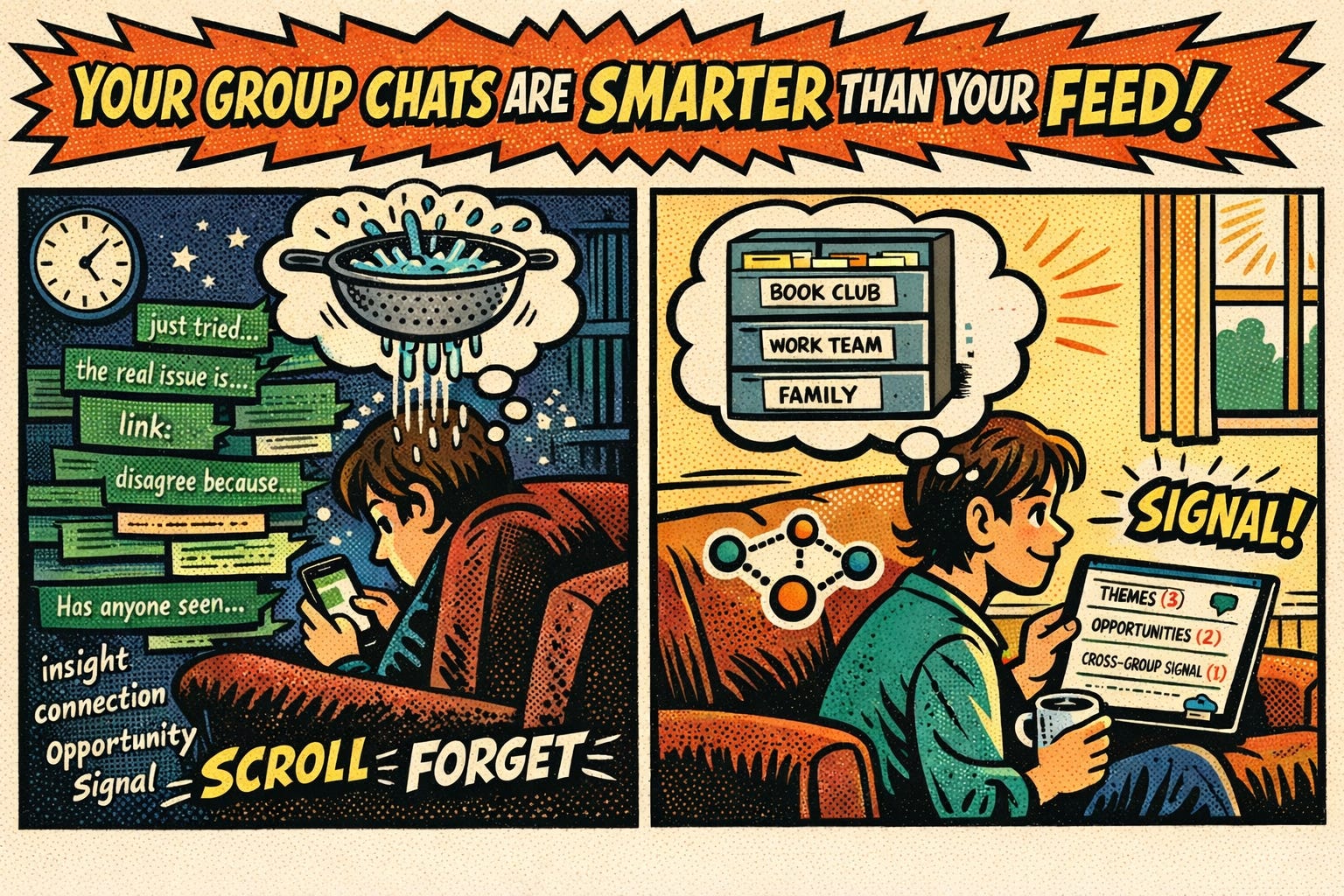
TL;DR: The most valuable professional signal I get doesn’t come from newsletters, podcasts, or social media. It comes from a dozen WhatsApp groups where practitioners argue about what’s actually working. The problem: WhatsApp is designed for conversation, not comprehension. So I built an MCP server that lets any compatible AI client — Claude Code, Claude Cowork, Cursor, Windsurf, or anything else that speaks the protocol — read, search, and analyze group chats. A processing pipeline on top turns hundreds of messages into a structured briefing. The intelligence processor was inspired by Scott Walker (Founder & CEO, UpShift Collective), who built the Junto Group Analyzer as a gift to our professional group. The whole thing is open-source: github.com/ericporres/whatsapp-mcp-server.
The Informal Network Problem
There’s a category of professional knowledge that never makes it into a blog post, a tweet, or a conference talk.
It lives in group chats. Specifically, it lives in the space between a question someone poses at 10 PM and the twelve responses that pile up by morning — half disagreeing, one linking a paper nobody else has read, and two sharing war stories from implementations they can’t talk about publicly.
I’m in several AI-focused professional groups on WhatsApp. Investors, operators, founders, researchers — people who are building, buying, or regulating AI and don’t have time or inclination to perform for a public audience. The conversations are unfiltered in a way that published content never is. Someone will say “we tried that orchestration framework and it fell apart after 200 tasks.” That’s the kind of signal that saves you three months of wasted effort, and that you’ll never find on a product’s landing page.
The density is remarkable. The retrieval system is a joke.
WhatsApp gives you a scrollable timeline. No real search. No way to extract themes across groups. No mechanism for connecting what an investor said on Tuesday about on-device inference to what a founder shared on Thursday about edge deployment costs. The app is optimized for synchronous conversation between humans. Using it as a knowledge management system is like using a phone book as a database: technically contains the data, operationally useless.
I spent months absorbing these conversations, participating in some, retaining fragments, losing the rest. Then I built something.
What I Actually Built
The WhatsApp MCP Server is an open-source system that connects WhatsApp group chats to any AI assistant via the Model Context Protocol — an open standard supported by Claude, Cursor, Windsurf, Cline, and a growing list of clients. Seven tools expose the data - five for reading, two for writing:
list_groups — every group, sorted by activity
get_messages — messages from any group, with date filtering
group_info — metadata, participants, descriptions
search_messages — keyword search across all groups or scoped to one
export_chat — full export in WhatsApp’s native .txt format
send_messages — post a new message to any group
reply_to_messages — quote-reply to a specific message by ID
On top of that, a three-stage processing pipeline (parser, analyzer, briefing generator) transforms raw messages into structured intelligence. The pipeline was inspired by Scott Walker (Founder & CEO, UpShift Collective), who built the Junto Group Analyzer as a gift to our shared professional group. Scott’s tool — a Claude skill file that processes WhatsApp chat exports — proved the concept: structured analysis of group conversations surfaces signal that passive consumption misses entirely. His six-output framework (themes, big ideas, opportunities, participation analysis, live threads, notable quotes) became the blueprint for this project’s analyzer. I extended it into a real-time MCP server with multi-group synthesis and configurable professional context.
The output: themes with recurrence tagging, big ideas flagged by relevance, collaboration and business opportunities, participation patterns, live threads worth joining, notable quotes, and — the part that surprised me most — cross-group synthesis that connects dots across separate conversations.
Translation: I ask Claude “what happened in my groups this week?” and get a briefing that flags what matters, explains why, and tells me where to engage. Five minutes instead of an hour of scrolling.
The Engineering That Matters
The interesting constraints weren’t about AI. They were about a platform that was never designed to be read by software.
WhatsApp has no API for group chats. The Business API handles customer messaging. WhatsApp Web is a browser session authenticated by QR code. That’s it. So the server uses whatsapp-web.js and Puppeteer, a headless Chromium instance maintaining a persistent authenticated session.
An important point: the entire system runs on my own computer. There’s no cloud service, no third-party server, no data leaving my machine. The WhatsApp client is a local browser session, the same session I’d have open in a Chrome tab, just headless. Messages are read in real time and processed locally. Nothing is stored, forwarded, or scraped. It’s the software equivalent of reading your own screen because that’s literally what it is. If you clone the repo and run it, it runs on your machine, reading your groups, with your authenticated session.
This creates a constraint that shapes everything downstream: one browser, one page context, potentially many concurrent requests.
The solution is an AsyncMutex, a FIFO queue with a 2-second minimum interval between operations. Every WhatsApp interaction — every message fetch, every search, every group metadata call — goes through the mutex. No race conditions, no page state corruption, no rate-limit triggers from WhatsApp’s servers. Puppeteer’s single-threaded browser doesn’t degrade gracefully under concurrency. It crashes. The mutex prevents that.
Not glamorous. Load-bearing. The kind of engineering decision that nobody notices until it’s missing.
The MCP layer runs two transport modes:
Stdio for Claude Code — one process, one connection, one session. Simple. You register the server in ~/.claude.json and it just works.
StreamableHTTP for Cowork and remote access — each MCP initialize request creates a fresh Server + Transport pair. All sessions share the single WhatsApp client (already serialized by the mutex). A Map <string, McpSession> tracks active sessions with 30-minute TTL. Stale sessions get cleaned up automatically. Expose the HTTP server through a Cloudflare named tunnel and you have a stable HTTPS endpoint that survives reboots.
For macOS persistence, two LaunchAgents handle it: one for the MCP server, one for the tunnel. They start at login, reconnect on failure, log to ~/Library/Logs/. The repo includes templates and a setup script. Zero maintenance after the first five minutes.
Tunnel, you say? The server runs on your machine. But any remote MCP client — Claude Cowork (the desktop app I use most), Cursor, or anything connecting over HTTP — needs an HTTPS endpoint to reach the server. The solution: a Cloudflare named tunnel. Cloudflare generates a long, random subdomain (something like mcp-pickled-indiana-porkchop-252.yourdomain.com) and proxies traffic through their edge network to your localhost. No ports to open, no firewall rules to punch, no dynamic DNS to manage. Your machine stays invisible to the internet; Cloudflare is the only thing exposed, and it only routes to your specific tunnel process.
That random subdomain is your first layer of security: nobody can brute-force a URL they don’t know exists. But security through obscurity is a speed bump, not a wall.
My first instinct was to add IP whitelisting through Cloudflare Access — their Zero Trust dashboard makes it trivially easy. Create an Access Application for your tunnel hostname, add a policy that only allows traffic from your home IP range, and requests from anywhere else get rejected at Cloudflare’s edge before they even reach your tunnel. Five minutes of clicking, no code changes. I had this running within an hour of the initial build.
Then reality intervened. Cowork — and any cloud-hosted MCP client — doesn’t connect from your home IP. It connects from the platform’s cloud infrastructure. My IP whitelist was rejecting every legitimate request from the desktop app I built this for. The tunnel was up, the server was healthy, and Cloudflare was dutifully blocking the one client I actually wanted to let through. Classic case of a security control that protects the endpoint by making it useless.
The underlying issue: the MCP server itself has no authentication layer. It’s a bare HTTP endpoint — if you can reach /mcp, you’re in. Cowork’s custom connector interface supports a URL and optional OAuth credentials, but nothing else — no custom headers, no bearer tokens, no way to pass Cloudflare Service Token credentials. So the “add a CF Service Token” workaround doesn’t work either.
For now, the random subdomain does most of the security. Treat it like a password: don’t publish it, don’t commit it to public repos, don’t paste it in articles (I almost did). For a personal project running on your own machine, reading your own groups, with a URL that’s effectively unguessable — that’s a reasonable posture. Not ideal, but reasonable.
The second layer of protection comes from Cloudflare itself, where I’ve whitelisted Anthropic server IP ranges and blacklisted the rest.
The repo documents the path toward stronger security for those who need it: bearer token authentication in MCP request headers (~20 lines of server-side validation), Cloudflare Access with email-based one-time pin authentication (works if your MCP client can handle browser-based auth flows), and full OAuth/OIDC through an identity provider. The last option is where I’ll land eventually — OAuth is the only auth mechanism Cowork’s connector natively supports, and it would let Cloudflare Access and the MCP client cooperate instead of fighting each other. Pick based on your threat model and how much weekend you have left.
The fuzzy group name matching deserves a mention because it’s the kind of small decision that determines whether a system gets used daily or abandoned after a week. Levenshtein distance plus substring matching, case-insensitive. Say “book club” and it finds “Book Club — Monthly Reads.” Nobody should have to memorize exact group names to query their own conversations.
The Analyzer: Where Context Does the Work
The raw tools are useful on their own. Ask Claude to pull messages from a group and summarize them — you’ll get a competent summary. Accurate, organized, and missing everything that makes the information valuable to you.
The analyzer fixes that. You configure a UserContext object — your name, role, focus areas, the types of opportunities you care about, your content outlets. A few lines of configuration:
typescript
export const EXAMPLE_CONTEXT: UserContext = {
  name: 'Your Name',
  role: 'Your role and company',
  focusAreas: ['enterprise AI', 'agent orchestration', 'your domain'],
  opportunityTypes: ['partnerships', 'speaking', 'content ideas'],
  contentOutlets: ['Your Newsletter', 'LinkedIn'],
};
With that context loaded, the analyzer doesn’t just summarize. It interprets. “This thread about procurement cycles maps to a use case you’re building for.” “Three people across two groups mentioned agent memory this week — that’s a theme worth tracking.” “You were mentioned in a discussion about on-device inference and didn’t respond — here’s what they said.”
The model didn’t get smarter between the summary and the briefing. It got informed. Same model, different context, categorically different output.
This is the pattern I keep seeing across every project that works in production: the teams obsessing over context injection (e.g. making sure the model knows enough about the user, the domain, and the situation) consistently outperform the teams chasing frontier model upgrades. A well-configured current model produces more useful output than a frontier model starting from zero.
Cross-Group Synthesis: The Compound Effect
The single-group analysis is useful. The cross-group synthesis is where the system earns its keep.
When you’re in multiple professional groups, patterns emerge between them that are invisible within any single conversation. An investor in one group mentions tightening due diligence on AI infrastructure plays. A founder in a different group shares frustration about investor skepticism toward their deployment model. A third conversation in a practitioner group debates whether the infrastructure layer is commoditizing.
Individually: three conversations. Together: a market signal. The synthesis engine connects these threads, identifies amplified themes, maps network nodes (people who show up with influence across groups), and flags compounding opportunities — where an insight from one group creates an opening in another.
I’ve been running this daily since launch. The cross-group synthesis has surfaced connections I would have needed three separate conversations to piece together — and that assumes I’d have retained the relevant details from each one, which at 7 a.m. with a Maltipoo demanding breakfast, I absolutely would not have.
The first version was read-only. Five tools for pulling messages, searching, exporting — a one-way mirror into conversations I was already part of. Useful, but incomplete.
From Read-Only to Bidirectional
The obvious next step: let the AI write back.
Two new tools close the loop. **send_message** posts a new message to any group. **reply_to_message** quotes a specific message by ID — the same quote-reply you’d do by swiping right on a message in the app. The read tools now surface message IDs in their output, so the workflow connects: pull messages, identify something worth responding to, reply to it directly.
The use case that prompted this wasn’t automation. It was the briefing workflow itself. The analyzer flags a thread worth joining — someone asks a question I can answer, or a discussion surfaces an opportunity worth acknowledging. Previously, I’d read the briefing, switch to WhatsApp, scroll to find the thread, and type a response. Now the system that identifies the thread can also draft and send the reply. Same judgment call from me. Fewer context switches to execute it.
An important constraint: both write tools require explicit confirmation. The system drafts, you approve. No messages leave without a human in the loop. This isn’t a philosophical stance about AI autonomy — it’s practical. Sending the wrong message to a professional group at 7 a.m. is the kind of mistake you only make once. The confirmation step costs two seconds and prevents the category of error that would make you uninstall the whole system.
The pattern holds: delegation, not automation. The AI drafts. You decide.
Twenty-Four Hours + Two More
I built =he whole thing — MCP server, five initial read tools, intelligence processor, HTTP transport, Cloudflare tunnel, LaunchAgent persistence, Cowork plugin — in under 24 hours. A concentrated Sunday night and a debugging session over Monday lunch. The additional write tools were another two hours, again on a Sunday, but this time in the afternoon :-)
The build involved two AI systems doing different jobs. Claude Cowork — Anthropic's desktop app — was my pair programmer. Not "AI wrote code while I watched." A discussion. A debate. The underlying library — whatsapp-web.js — already solved the hard session management problem. My job was deciding what to build on top of that: which tools to expose, how to structure the processing pipeline, what the transport layer needed to support for both local and remote clients. Claude provided implementation velocity — scaffolding tool definitions, wiring up Puppeteer, generating the StreamableHTTP transport. The thinking was collaborative. The decisions were mine. (If you read the Cowork piece, this is the next thing I built with it.)
For the heavier orchestration work — coordinating parallel implementation across multiple files, managing dependencies between the MCP layer and the intelligence processor, running multi-agent task sequences — I used Ruflo by Reuven Cohen. Ruflo is a swarm orchestration framework that lets you spawn and coordinate multiple Claude agents working in parallel. Think of it as the difference between having one pair programmer and having a development team. Cowork handled the design conversations. Ruflo handled the build sprints — parallel implementation, cross-file coordination, test generation. The coding workflow skill tied it together with structured planning, chunked implementation, and human oversight at every checkpoint.
The speed matters because it changes the economics of building. When a project takes a weekend instead of a quarter, you build things you wouldn’t have justified otherwise. A WhatsApp intelligence server is a nice-to-have if it takes two months. It’s an obvious yes if it takes a Sunday night.
The Series Pattern
If you’ve been following this newsletter, you’ve seen the pieces of a system taking shape.
Email triage turned an inbox into a classified action list. Slack triage did the same for workspace channels. The family assistant skill gave Claude enough context about my household to fill out forms and handle logistics. The coding workflow skill encoded development best practices into a reusable brief.
The WhatsApp MCP server is the latest piece, and it’s the one that taps into the information source I was leaving on the table entirely. Email and Slack are work channels with some structure. WhatsApp groups are informal professional networks with zero structure and maximum signal-to-noise variance.
The common thread across all of these: delegation, not automation. I’m not asking AI to replace the reading. I’m asking it to do the pattern matching — then I make the judgment calls. The same way a good executive assistant doesn’t decide what you do. They decide what deserves your attention.
First you instrument it. Then you orchestrate it. Every knowledge worker sits at the center of information networks they’re barely tapping.
Getting Started
The repo is MIT-licensed. Clone it, configure it, make it yours.
bash
git clone https://github.com/ericporres/whatsapp-mcp-server.git
cd whatsapp-mcp-server
npm install && npm run build
Scan the QR code on first run (note; you’ll have to reauthorize every ~ 7 days, a small price to pay). Edit the EXAMPLE_CONTEXT in src/processor/analyzer.ts with your professional context. Register the MCP server with any MCP-compatible client — Claude Code, Cursor, Windsurf, Cline — or expose the HTTP server through a tunnel for remote access via Cowork or any HTTP-based MCP client.
Full setup instructions, architecture docs, and LaunchAgent templates are in the README.
Sources & Links
WhatsApp MCP Server — the open-source repo
Junto Group Analyzer — Scott Walker’s Claude skill that inspired the intelligence processor (Scott is Founder & CEO of UpShift Collective)
Model Context Protocol — Anthropic’s open protocol for AI-tool integration
whatsapp-web.js — the Puppeteer-based WhatsApp client
Cloudflare Tunnels — the persistence layer for remote access
MCP TypeScript SDK — the StreamableHTTP transport layer
Previous pieces in this series: Email Triage Plugin, Slack Triage Plugin, Family Assistant Skill, LLM Coding Workflow Skill
Every knowledge worker sits at the center of information networks they’re barely tapping. Your group chats are the ones with the least structure and the most signal. Instrument them.
Eric, happy that the algorithm led me to your writing - this is such a value packed piece and I have had this vision for many years pre-AI going mainstream with a WhatsApp based community, and now I have some scaffolding to try and build it myself! I’m Learning Claude code as we speak, I’m not technical - I’m an AI obsessed operator working at the intersection of maternal health and community building. Curious, do you think someone without a technical background with some grit and Claude code could build this? Either way I’m going to try because I love what I learn even if I fail on the build! Look forward to diving into your other use cases with Claude code. Keep sharing!
The real problem you're describing isn't that WhatsApp is bad at knowledge management—it's that Twitter (and LinkedIn, and Bluesky) broke at discourse. When public platforms prioritize engagement over accuracy, practitioners go private. Extracting signal from group chats is useful, but it points to a structural failure: we've let algorithmic feeds become the default public square, so everyone with actual knowledge moved somewhere else.
I've been thinking about this with public opinion mapping. The stuff that matters—what people actually believe, the reasoning behind positions, productive disagreement—almost never surfaces on social feeds. It gets buried under hot takes and algorithmically-amplified conflict. The hard part isn't building extraction tools. It's rebuilding public spaces where it's worth having the conversation in the first place.